How to Manage Programs
Life doesn’t always follow a schedule. That’s why programs are flexible and fully adjustable. This article explains how you can reschedule, pause, continue or end a program to best support your fitness journey.
Table of Contents
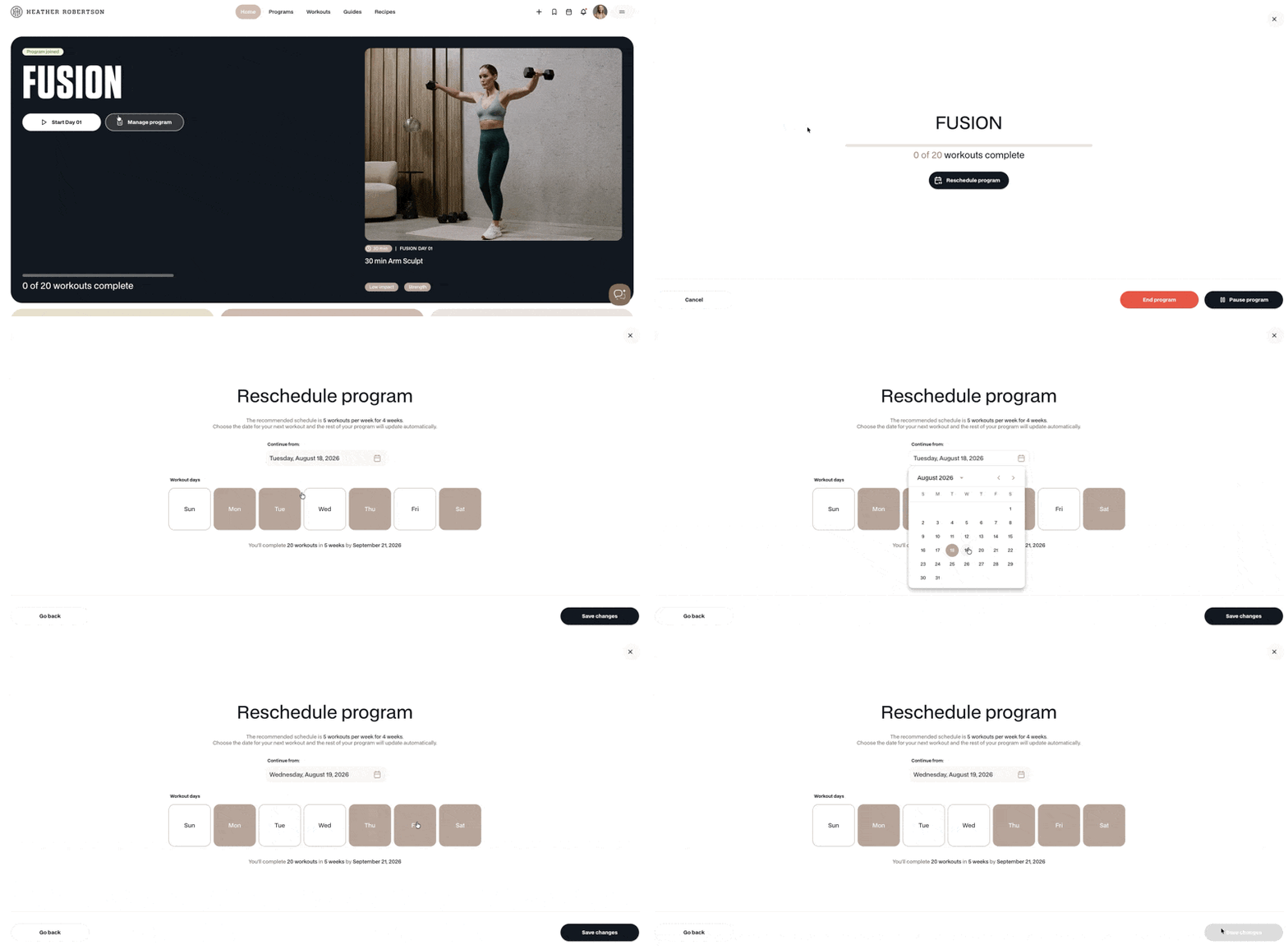
How to reschedule a program
Life happens, and plans change. You can bulk reschedule all of your remaining program workouts in one go. Every incomplete session is rescheduled automatically to fit your new schedule.
From your Homepage or Program details page:
- Select Manage program
- Select Reschedule program
- Select the date you'd like the changes to take effect
- Choose the days you want to workout each week.
- Save changes - your calendar will automatically update
Any completed workouts will remain unchanged.
From the Calendar or My Schedule:
- Select the program workout
- Select the three-dot action menu
- Select Reschedule program
- Choose the date you'd like the changes to take effect
- Select the days you want to workout each week.
- Save changes - your calendar will automatically update
Learn how to move individual workouts
⬆️ Back to top
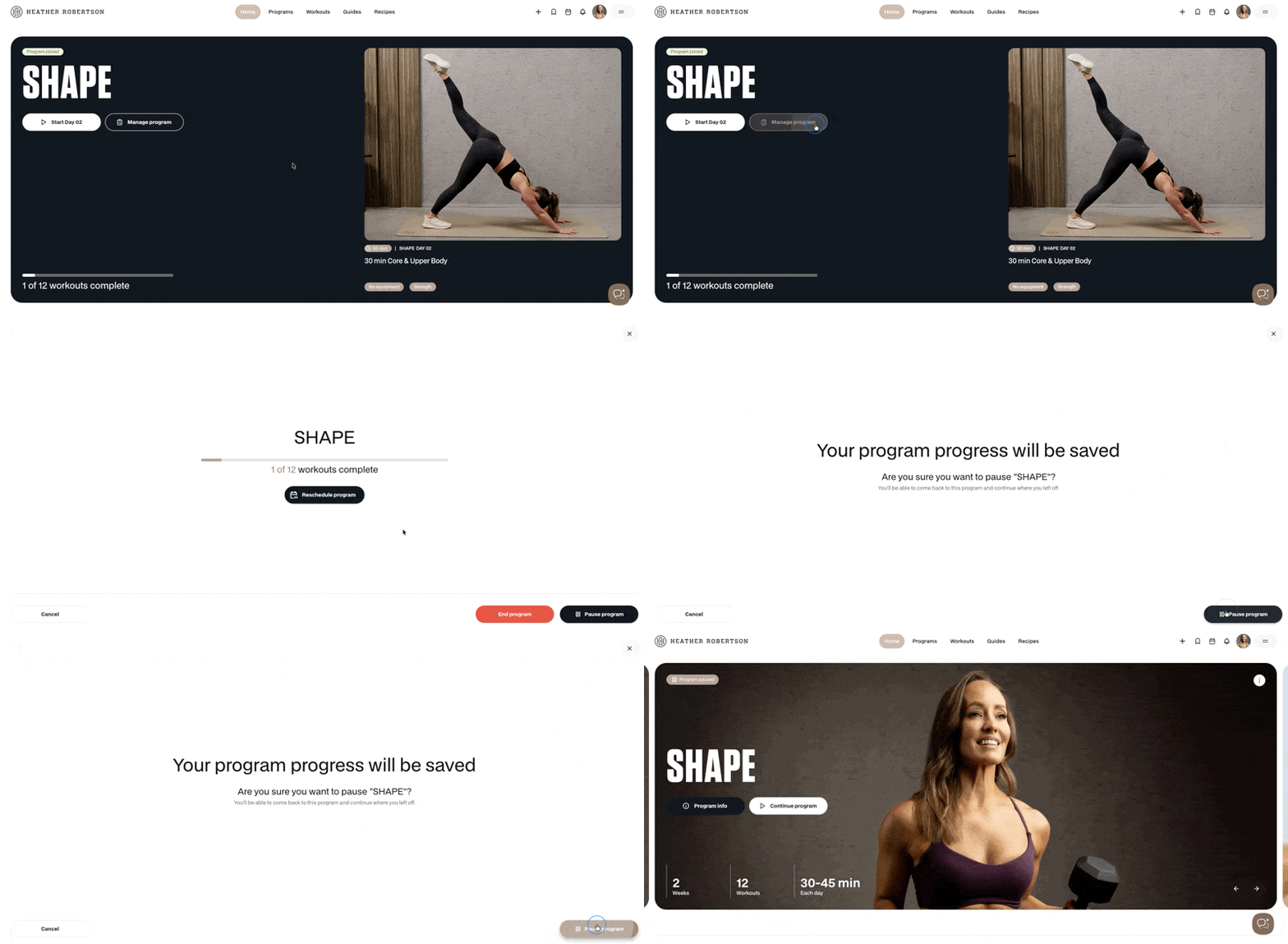
How to pause a program
If you need a break due to travel, illness, or a busy schedule you can pause your program.
- Go to Home or Programs
- Select Manage program
- Select Pause program
- Confirm and select Pause program
You'll be able to come back to this program and continue where you left off!
What happens to the completed workouts when you pause a program?
⬆️ Back to top
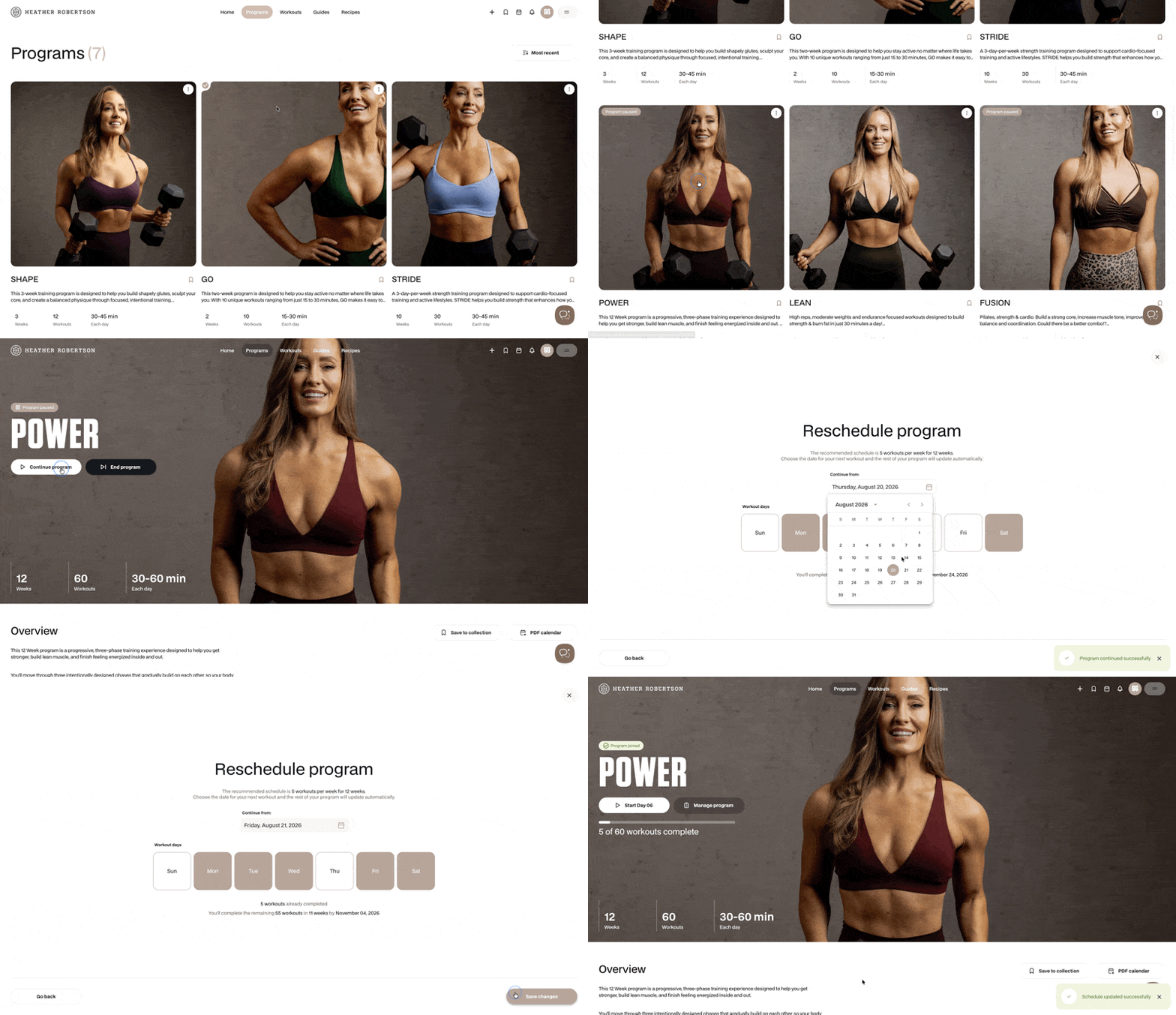
How to continue a program
When you’re ready to come back to a paused program, you can pick up right where you left off.
- Go to Programs and find the paused program you would like to continue
- Select Continue program
- Choose the date you would like to continue the program
- Select the days you want to workout each week.
- Save changes - your program will be added back to your calendar
⬆️ Back to top
How to end a program
Not feeling the connection? You can choose to end a program at any point.
- Go to Home or Programs
- Select Manage program
- Select End Now
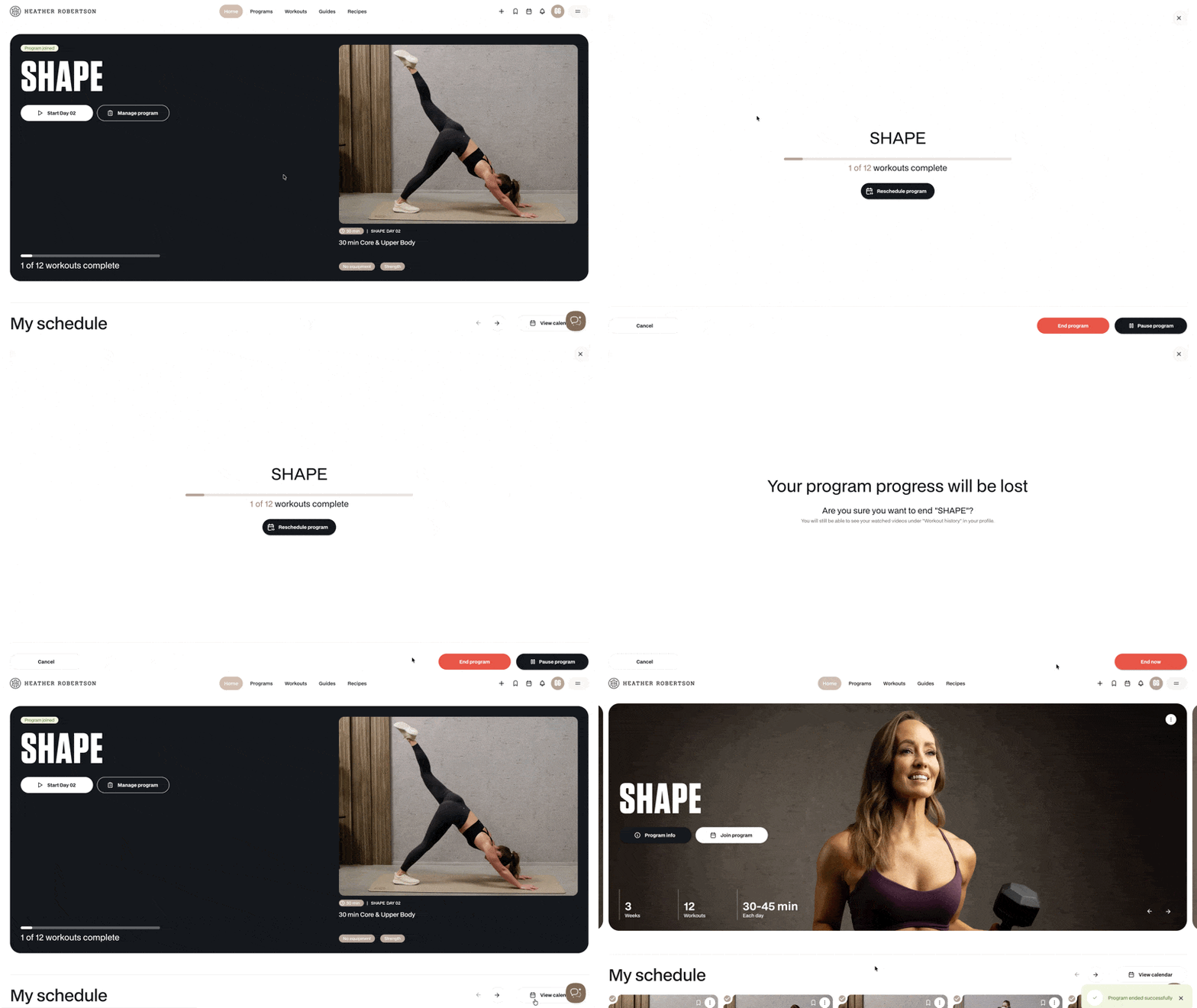
⚠️ If you end your program, your progress will be lost.
You will still be able to see your watched videos under "Workout History" in your profile. Any completed workouts will stay on your calendar as individual workouts and count towards your workout activity.
What happens to the complete workouts when you end a program?
⬆️ Back to top